








Link Extractor helps you extract URLs, meta tags, and images from a specific web page on your or another site. After scanning through the tool, the extracted URLs are displayed in a list format that you can copy for future reference.
Link Extractor will be able to email addresses and URLs from websites and files. It will start navigating through all the links to extract URLs and domains from websites. A URL is also known as a unified resource locator.
The tool can also help you find orphan pages, which can be created deliberately or accidentally. In the latter case, the page may go unnoticed for a long time while you think it has been deleted.
We have created a list of quality tools like Link Extractor to solve your SEO issues. The backlink will be displayed when the scanning is finished, for example, in Chrome. And now we propose to understand how to work in our tool.
Link Extractor Usage: A Step-by-Step Guide
Link extracter is very easy to work with, even for beginners. As for the tool’s algorithm, the tool gets the source of the webpage and then extracts URLs from the text. A list of links, domains, and resources that your page links to will be displayed.
- View if the page of your website has no links with the non-200 HTTP code.
- Scan if your page has internal links to other essential website pages with the support of an internal link checker.
- Extract all useful links from comparison pages.
We designed our Link grab/grabber to make it easy for experts to understand the scanning process and interpret the results.
There are two ways to use Link Extractor – via domain or specific page check. Simply choose the variant you need, paste in a URL and start a free trial. It takes a few seconds and absolutely free. After that will launch the site scan, the tool starts scanning the data. Below, you can see how to start the scanning process.

Domain Check
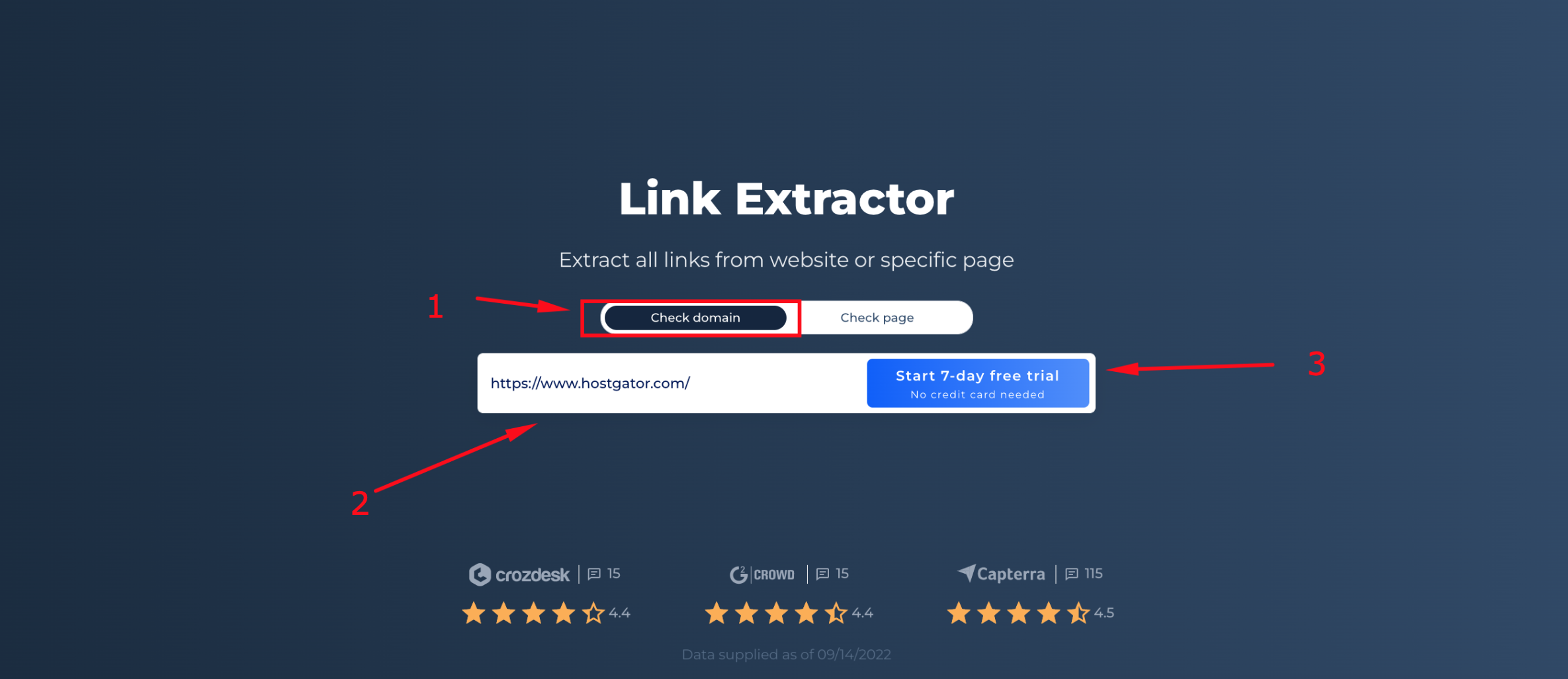
Step 1: Insert your URL and start free trial
If you want to check a domain, press the “check domain” button, enter the domain, and start the free trial. For our example, we’re scanning hostgator.com.
Step 2: Interpreting the Link Extractor Results via Domain Check
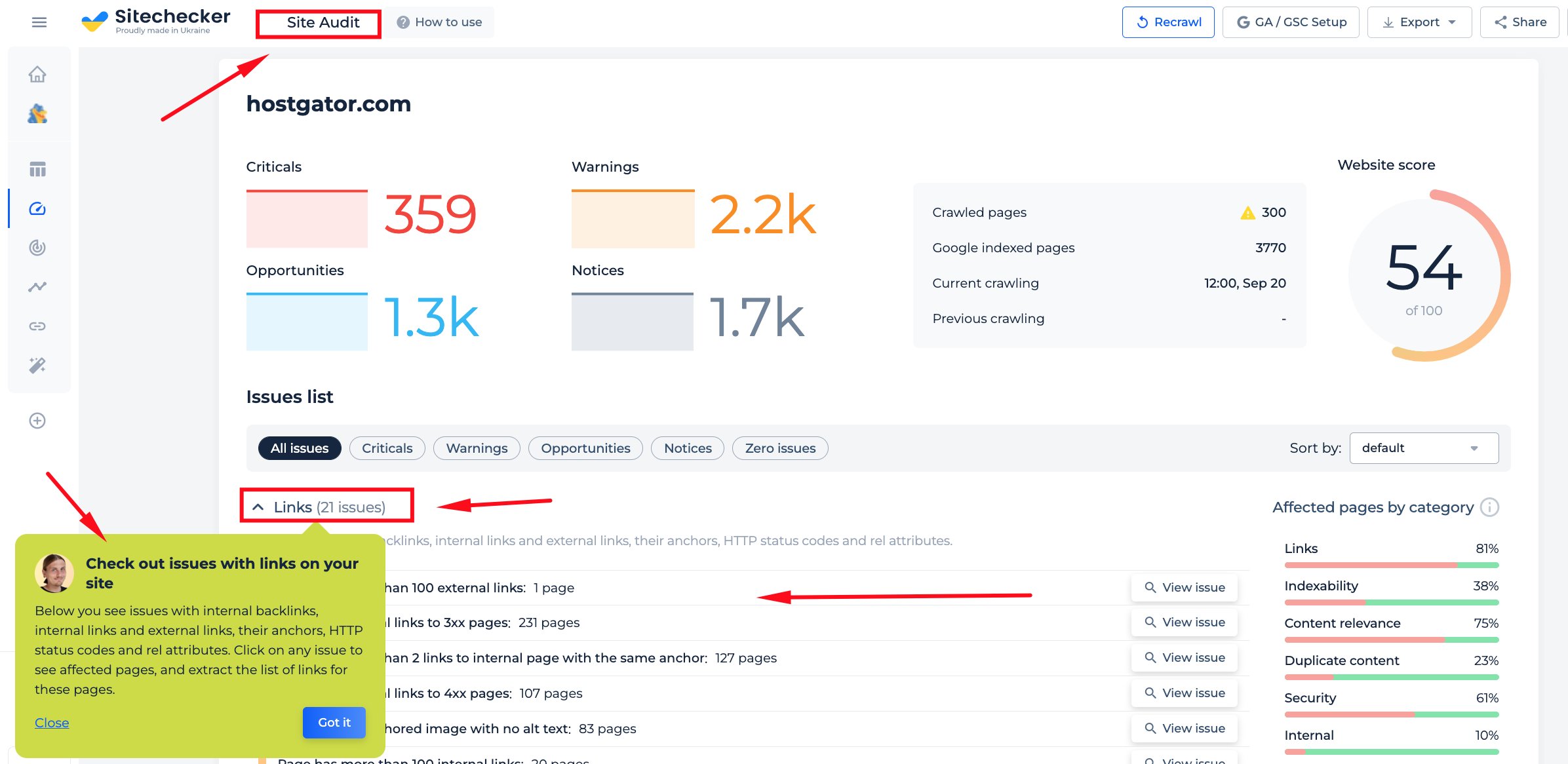
The scan you perform will generate a site audit for the domain you enter, revealing various issues with links, such as backlinks, internal links and external links, their anchors, HTTP status codes and rel attributes. By clicking on any given issue, you can see which pages are affected and extract a list of links for those pages. This way, you can easily identify and correct any problems that may be present.
Additional Features of Link Extractor when Checking Domain
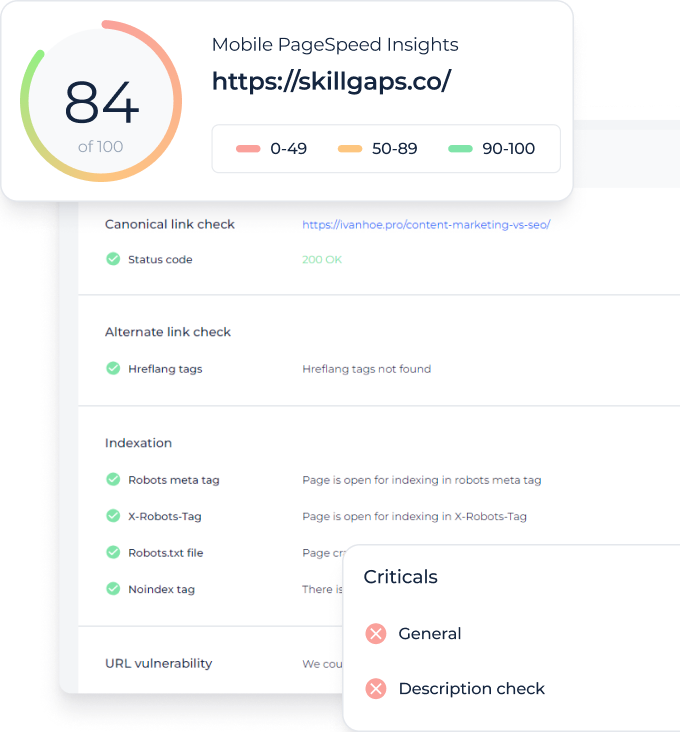
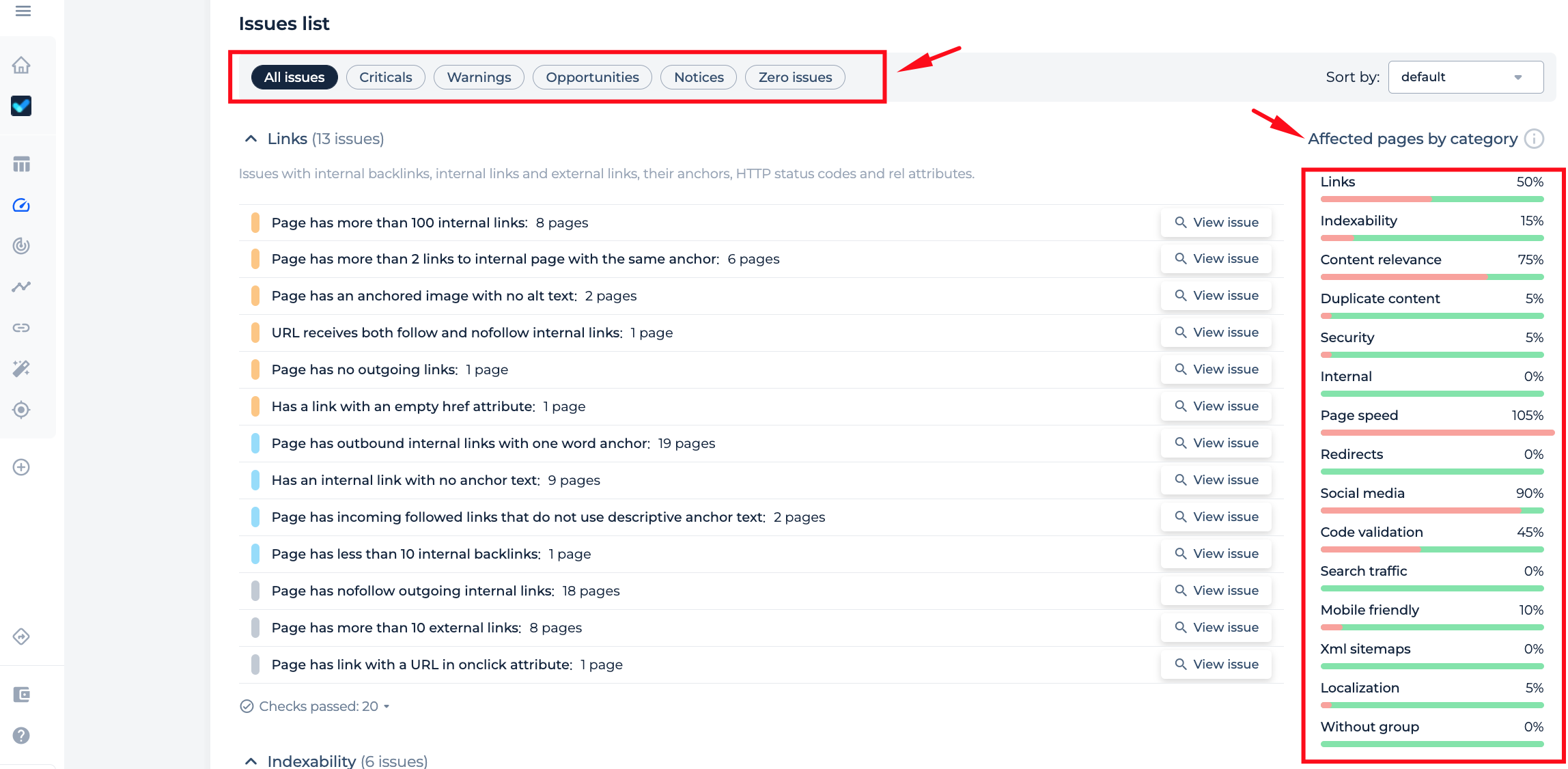
Besides, after checking the domain you will receive a full-site audit report that will help you identify different types of problems on your website. The report will also provide instructions on how to fix the identified issues.
What is more, you can observe issues by issue type, such as Criticals, Warnings, Opportunities, Notices, Zero issues, or by category, such as Links, Indexability, Content Relevance, etc. This allows you to quickly target and resolve the issues that are most important to your website’s success.
Page Check
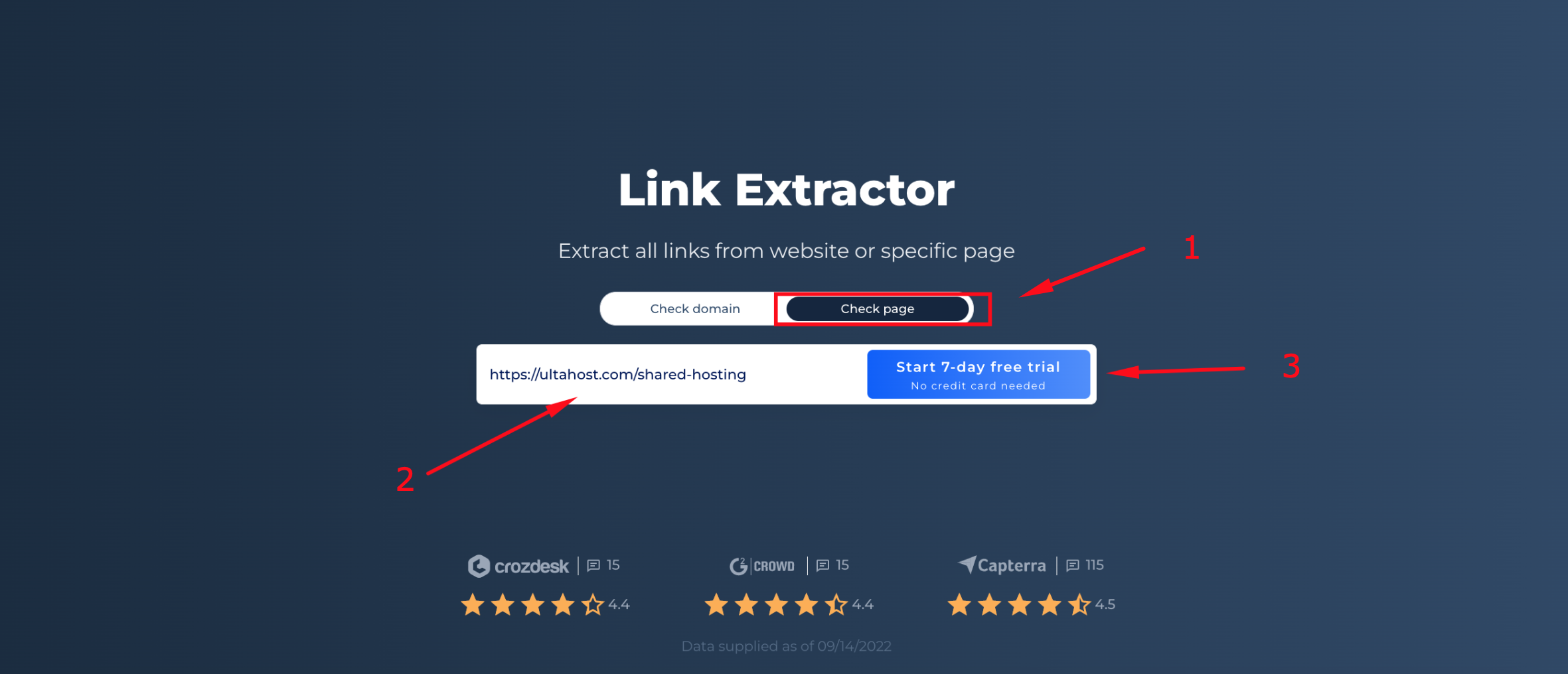
Step 1: Insert your URL and start free trial
If you want to check a specific page, press the “check page” button, enter the URL, and start the free trial. For our example, we’re scanning ultahost.com.
Step 2: Interpreting the Link Extractor Results via Page Check
With the results of the scan, you will get the audit of the URL that you enter with open block of information about the links. There you will be able to find out Internal links, Internal backlinks, and External links. Including the URL, anchor, status code, and dofollow status of the link.
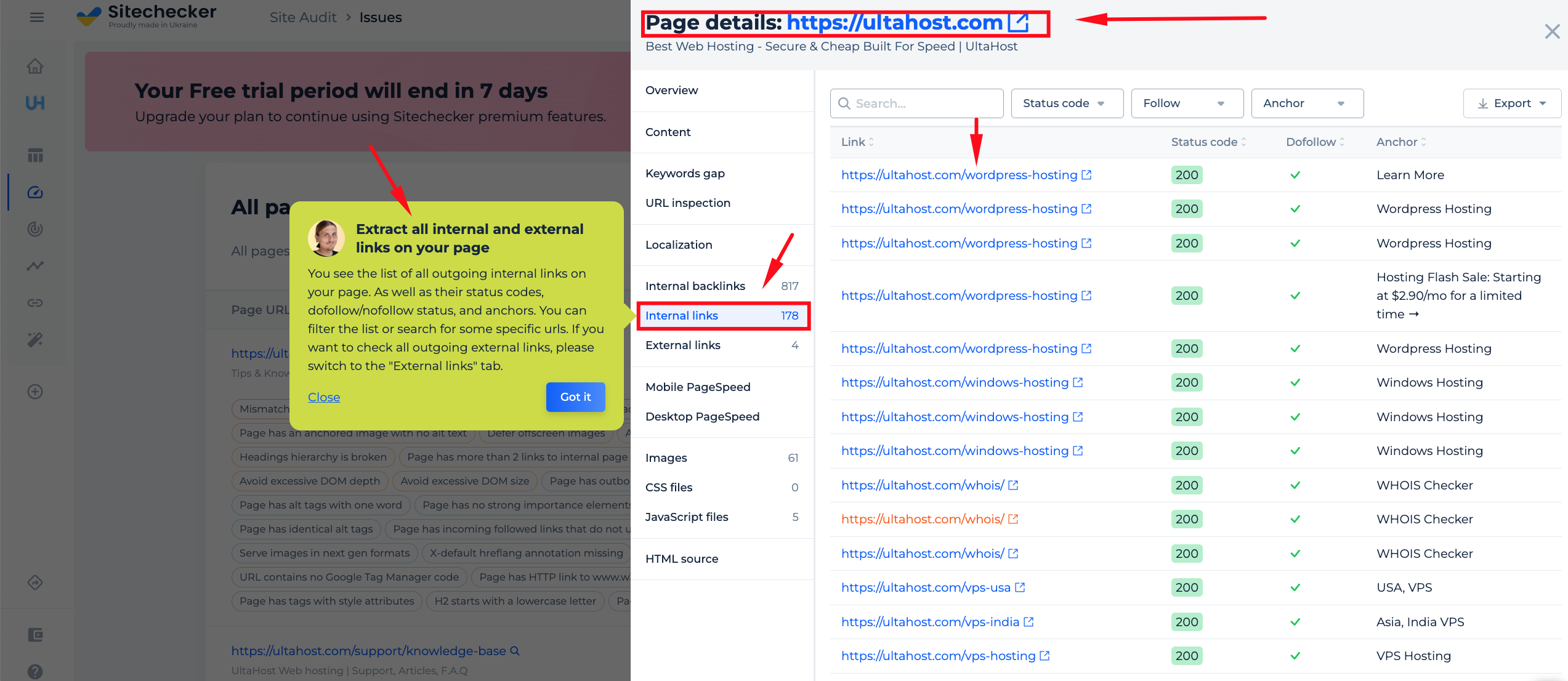
Additional Features of Link Extractor when Checking Page
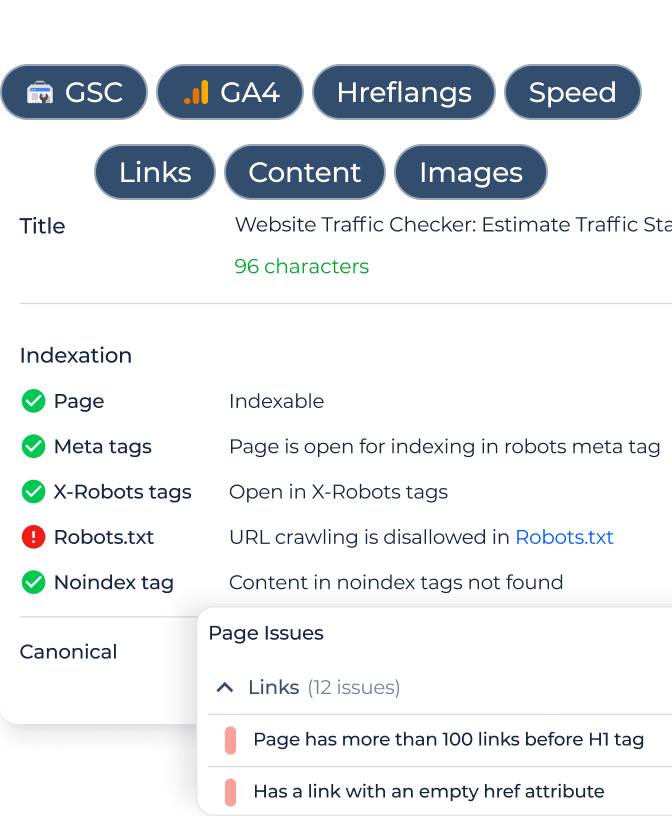
With the page check you can also identify other issues with the page you scanned, including Content, Localization, Page Speed, etc. By identifying these issues, you can improve your overall website performance.
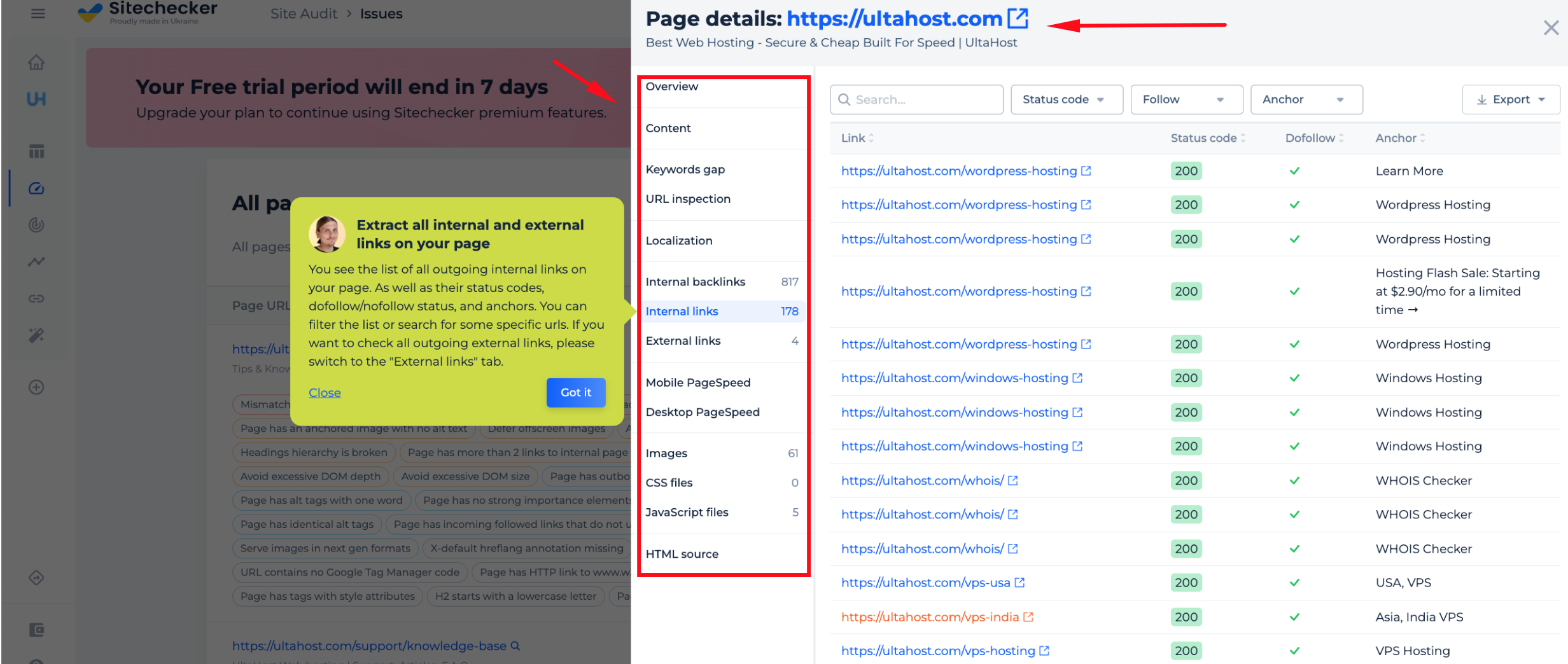
Besides, if you’re concerned about any potential issues with the links on a certain page, our on-page checker can help you find them so you can address them before they become more serious.
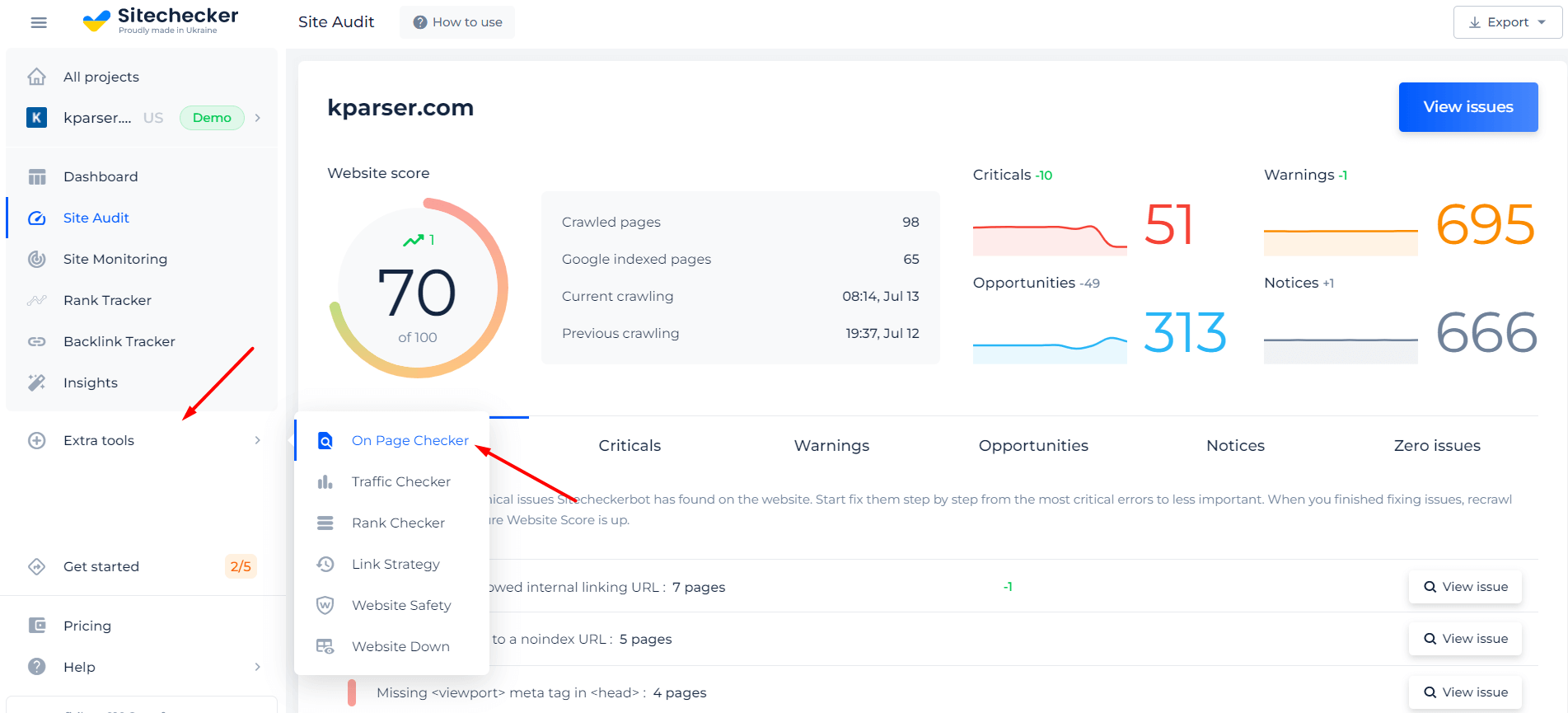
Check out the video guide about the on-page audit, and the specific part about the links section and how to work with it.
Cases When URL Extractor is Needed
You can use Link finder for a variety of purposes. It applies to various tasks, from conducting Internet research to developing and testing web pages.
URL unpacker is useful for those who do online search engine optimization executives because the tool gives you the ability to analyze a list of URLs. URL Extractor will find all links from web pages and the corresponding HTML code for each page on the domain.
Find out not only all links from a website, but also the presence of technical errors on it!
Now you know your website links, further - crawl your site and find out all kind of issues that can hart your users or your website SEO.
What is a link extractor?
How do I extract text from a link?
How do I extract my website URL?
- Right-click a hyperlink.
- From the Context menu, choose Edit Hyperlink.
- Copy the URL from the Address field.
- The button Esc to close the Edit Hyperlink dialog box.
- Paste the URL into any cell desired.