



Free SEO Audit

Crawl the website for technical issues and get a prioritized to-do list with detailed guides on how to fix.

Something went wrong. Please, try again later.
Trusted by
Sitechecker trusted company

Free Website SEO Checker & Audit Tool

  • Scan the site for 300+ technical issues
  • Monitor your site health 24/7
  • Track website rankings in any geo

Free SEO Chrome Extension

Automate your on-page SEO routine

  • On Page SEO
  • Content optimization
  • Links
  • GSC Insights
Chrome Add to Chrome
rating 4.5
logo-reviews
182K

What is CSS minification

If the site uses CSS (Cascading Style Sheets), the server must pass them to the browser each time a resource is requested. And this affects the website speed. The more complex the style files, the longer the visitor will wait until the site is fully loaded. Using CSS compression can reduce code size and improve site performance.

How to minify CSS code

Check whether your page needs CSS compression using the tool above. If the page has some unoptimized parts of CSS you will see similar message as on the picture below.
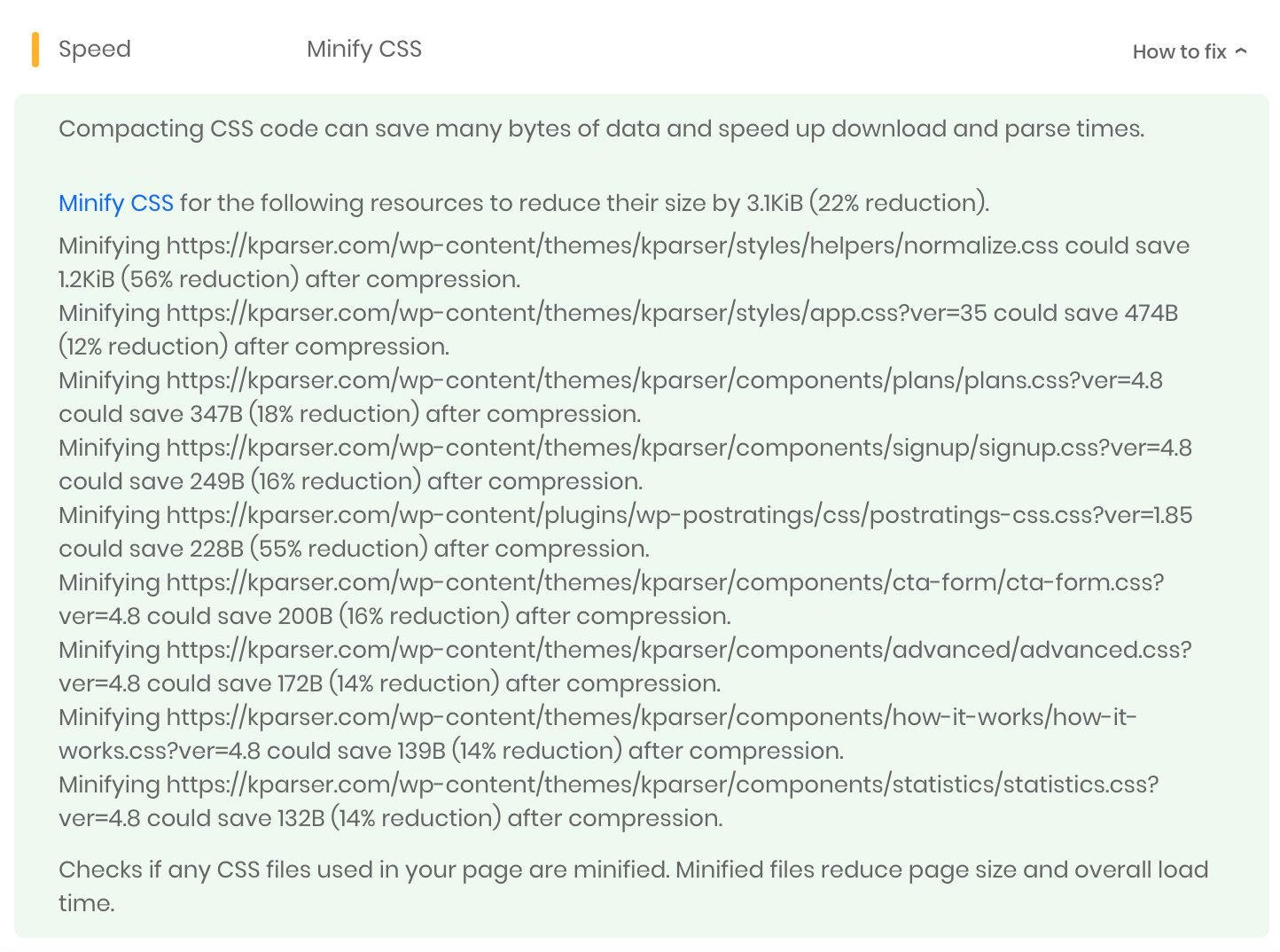
compress css

After getting this info, try to use tools recommended by Google, like CSSNano and csso.

What users are saying

Data supplied as of 04/08/2024
Check other of our awesome SEO tools!
Content Optimization
Keyword Research
Linking
Off-Site SEO
On-Page SEO
Rank Tracking

So, soon? Well, before you go…

Get instant on-page SEO analysis of your home page

  • Detect broken links
  • Detect issues with content optimization
  • Check PageSpeed for mobile and desktop
Something went wrong. Please, try again later.
You’ll get the report in 2 seconds without required signupWithout add chrome

344So, soon? Well, before you go…

4342Get instant on-page SEO analysis of your home page

Add to Chrome Text test Chrome Add to Chrome Text test
You’ll get the report in 2 seconds without required signup test
exit-popup-image exit-popup-image
close