








What is H1 tag
Every web page has multiple headings, but it is the only one of them is the main heading tag. We can compare it with the book’s or newspaper’s title. Each page should have one H1 tag. So we can determinate H1 as an HTML tag that considers a heading (title) on a web page.
An example of H1 tag and title tag in HTML
<html>

<head>

<title>What is H1 Tag & How Important Is This For SEO?</title>

</head>

<body>

<h1>Explore an Importance of H1 Tag and the Requirements of Its Writing</h1>

</body>

</html>
H1 tags have a huge impact on SEO. As it is all about attractiveness for the user, search engines bots pay enough attention to H1 tag. It helps to describe the meaning of the web page, provide users with information regarding the content.
In 2018 Google admitted on Mobile-First Indexing. As H1 tag is about users’, it primarily declares on usability. It became a really important factor for mobile screen readers, as it provides the capability to skip to the H1 tag on the page to tell visitors what the page is about.
The difference between H1 and Title tags
It’s pretty important to understand that H1 and Title are different headings. And they must be skillfully combined. So what are the main points?
1. The Title tag is a browser title
It is not shown to the user on a web page. But H1 tag is the first thing users see while browsing a web page.

2. The Title tag is shown in SERP as a heading of the snippet
You won’t see H1 tag in a snippet.
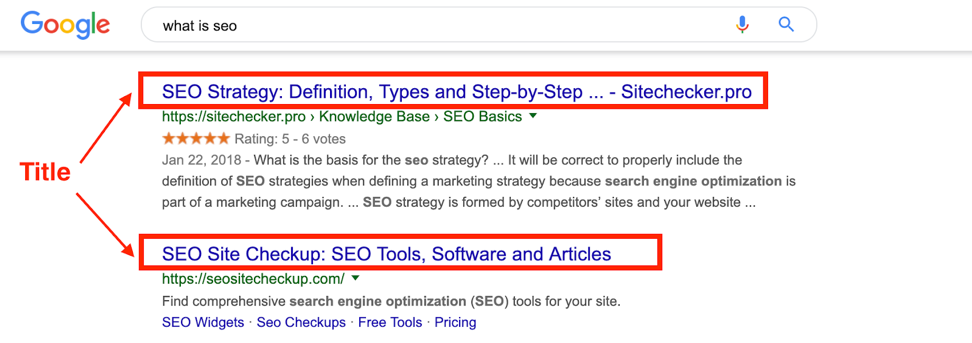
3. Title tag serves to search engines crawlers, H1 tags – to users
As a rule, H1 and Title tags should be unique, keyword oriented and express the main intent of a web page. BUT the main point – they should not duplicate each other.
Neglecting the rules of headings’ uniqueness and relevance can lead to Google penalties. Recently, search engines began to pay attention to the quality of content and its SEO parameters. Duplicates, oversampling, chaotic distribution of headers, their inconsistency with content is punished.
Requirements for writing H1 tag
Rule 1. One page – one H1 tag
There is no iron rule “Don’t use more than one H1 tag on page”, but it is preferred. This is explained by using numerous H1 tags on a page can blurry your target keyword phrase.
Let Matt Cutts explain in details about using multiple H1 heading tags.
Rule 2. H1 tag should be placed in the top of a page
As we discussed above, it is all about user and usability. The correct H1 tag has to give the reader a strong sense of what this web page is about.
Rule 3. Your H1 shouldn’t be greater than 70 and less than 20 characters
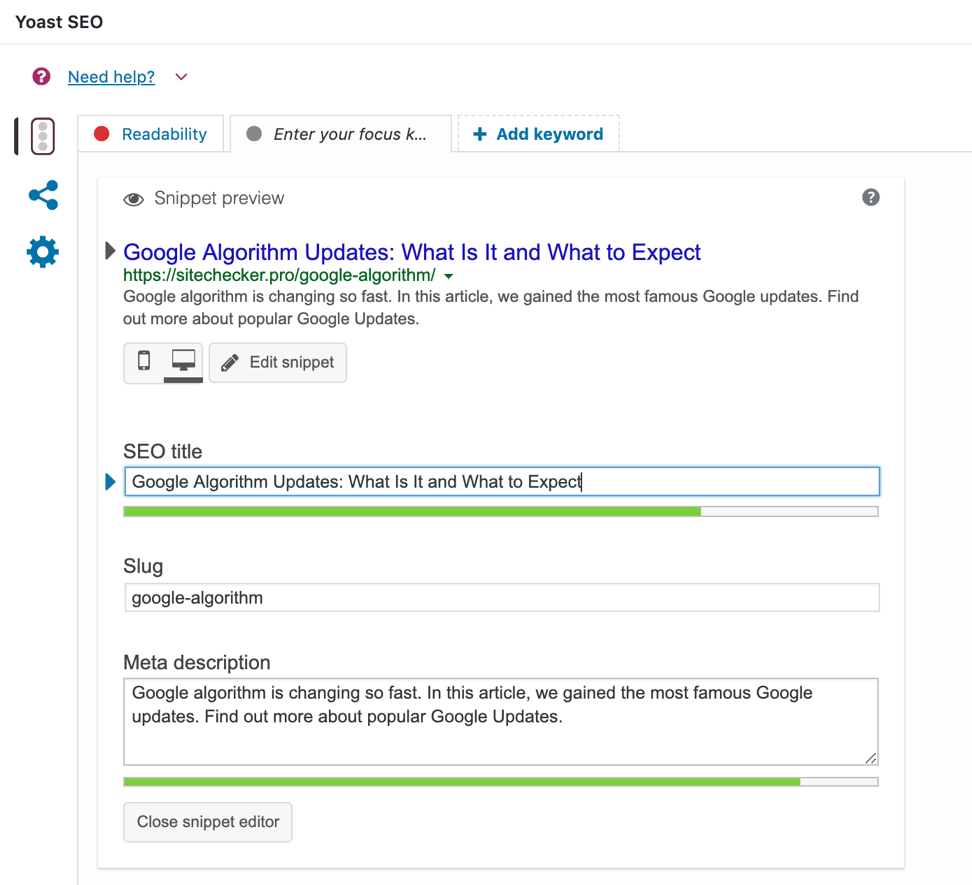
The golden H1 limit is 20-70 characters to create a positive user experience. Try to use a target keyword to cover the topic. Special plugins for cms WordPress allow you to analyze the correct filling of all meta directly in the editor.
Rule 4. Make your H1 visually strong
This rule is about H1 formalization. Remember, H1 tag must be visible for users. Also, it shouldn’t have any punctuation at the end, exception – signs “?” and “!”. In a few words, it should be strong, noticeable and centered on the top of the page. When modifying H1 tag, ask yourself:
- Does H1 tag unique, limited to 70 characters and don’t duplicate Title?
- Does H1 tag the most noticeable text on a page?
- Does H1 have a target keyword?
- Does H1 tag express the sense of web page content?
- Does your H1 tag interesting and attractive for user?
If you can answer these questions as YES, congratulations, you have perfect H1 tag.
How to check H1 heading tags
Optimizing H1 tag is the first step to success in SERP. That’s why you should check all your H1 tags on every web page and correct if it is necessary.
Detect H1 tag mistakes on your website
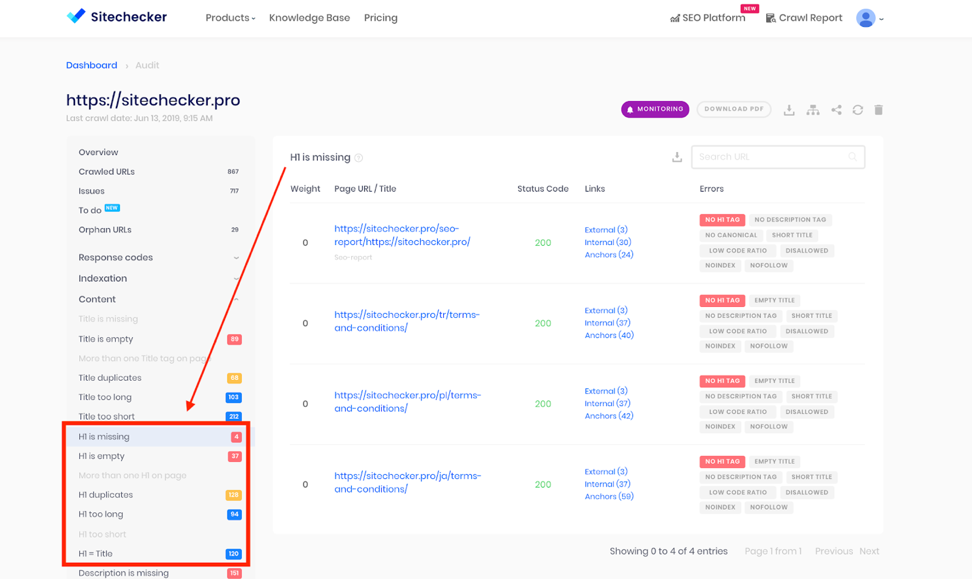
Crawl your website and find out what pages have h1 heading mistakes
Launch a website audit in the form above to detect H1 heading tag issues. In a few minutes, you will get a report and recommendations on “How to fix it”.
H2-h6 heading tags
You have noticed that websites have more than just H1 heading. There are also exists H2, H3, H4, H5, H6 headings. In a visual part of the web page, they are different from each other only by font size. See the screenshot below.
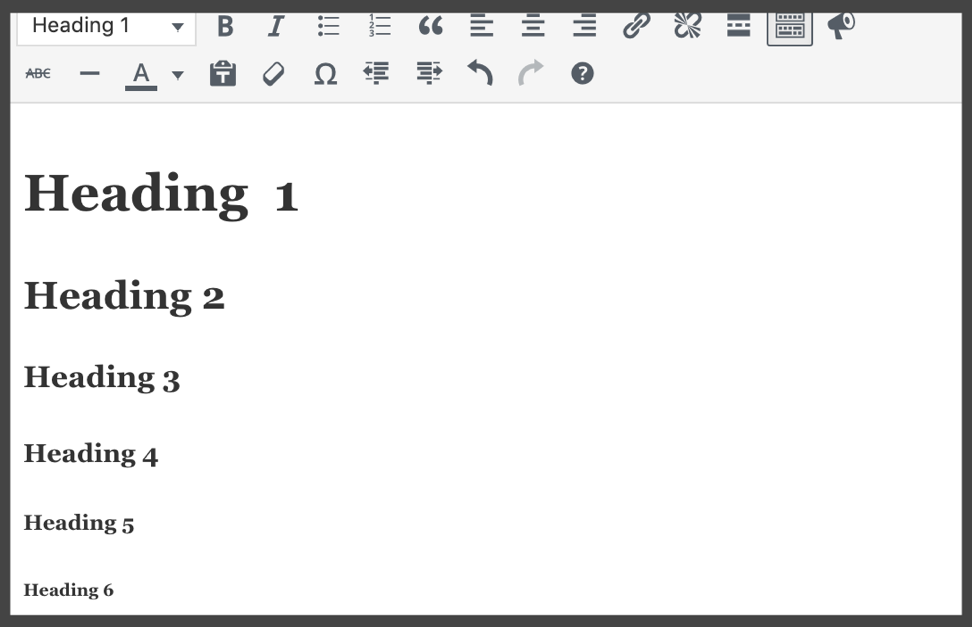
But in the source code they differ from each other only using these tags:
<body>

<h1></h1>

<h2></h2>

<h3></h3>

<h4></h4>

<h5></h5>

<h6></h6>

</body>
The requirements for using these tags are quite similar to H1 tag. Let’s summarize:
- Use H2-H6 heading tags only when it’s necessary: website navigation, post or paragraph structure.
- Don’t use all heading tags on a web page. As usual, it’s enough to use h2-h3 headings.
- Don’t forget to format them properly: font, size, bold or italic (due to your website’s editing policy).
Read more about proper SEO writing in our article “SEO Writing and Its Importance for Website Optimization”